ARtie Lab: AR Drawing & Sketch
- 4.5
- Rating
- 1.00M
- Installs
- Free
- Price
 Analysis by App-foxy
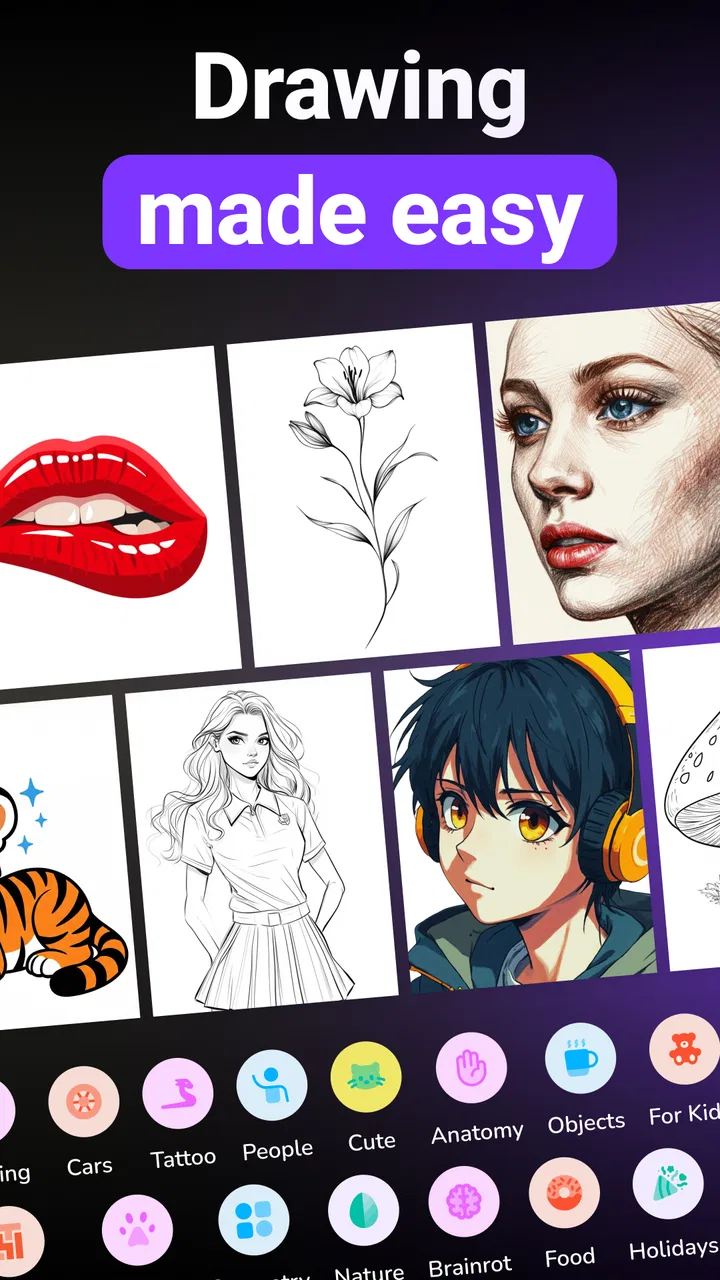
I found ARtie Lab: AR Drawing & Sketch most interesting as a bridge between looking at a picture and actually learning how to reproduce it. It is an art and design app built around tracing, with the store summary pointing to its central idea: trace a picture and learn to draw. In practice, that makes it less intimidating than beginning with a blank page, especially when I want to understand proportions, outlines, and basic placement before worrying about style.
The app is free to start, suitable for everyone, and developed by Tenet Apps FZCO. Its current version is 1.0.4, and it requires Android 7.0 or later. It has already attracted more than 500 thousand installs and holds a 4.6 average from roughly 46 thousand ratings, which suggests that the simple tracing concept is connecting with a substantial audience. I would not treat those figures as a substitute for trying it myself, but they do make it easier to see this as a practical beginner tool rather than an obscure experiment.
How ARtie Lab feels in everyday drawing
The most useful way to think about the app is as a guided drawing surface. Instead of copying a reference by repeatedly shifting my eyes between a screen and a sheet of paper, I can use the reference as a visual guide while working on the physical drawing. That changes the experience from “I have no idea where to start” to “I can identify the next line.” For a first sketch, that reduction in uncertainty matters more than a long list of advanced brushes.
You May Also Like

 Blood Strike: 2.5 Anniversary
Blood Strike’s Loadouts Turn Every Drop Into a Tactical Gamble
A close look at Blood Strike’s custom loadouts: how fast access to signature weapons reshapes its battle royale rhythm, rewards preparation, and narrows the gap between fights.

 Pandora - Music & Podcasts
Pandora’s Music Is Easy to Start, but Harder to Recover
Pandora’s strength is its low-effort path from a seed to a station. Its weak spot is how much confidence it asks you to place in connection, setup, and quiet recovery.

 8 Ball Pool
8 Ball Pool Is Built on Rivalries, Rematches, and Routine
A close look at the rivalries, rematches, shared routines, and unanswered safety questions that turn a quick pool match into a persistent mobile community.

 Samsung Music
Samsung Music’s Quiet Strength Is Playing What You Already Own
Its reach comes less from spectacle than from dependable access to a personal library. That simplicity is both the app’s strongest retention engine and its ceiling.

 AccuWeather: Weather Radar
AccuWeather Review: A Quick, Clear Forecast for Everyday Decisions
For everyday plans, the best forecast is the one you can understand quickly. AccuWeather makes rain timing, radar, and local conditions easy to act on, with a few trade-offs.

 Hill Climb Racing
Why Hill Climb Racing Still Turns Crashes Into One More Run
A tiny car, a bumpy hill and one more upgrade: Hill Climb Racing keeps resurfacing because its simple chaos makes every near-miss feel personal.
More From Our News Desk



I can imagine using it at a kitchen table with a notebook, a pencil, and a phone balanced nearby. A user who wants to draw a pet, a cartoon face, a flower, or a simple object can begin with the broad silhouette, check the placement, and then add smaller features. The result is not automatically a finished illustration, but the process gives the hand a chance to practice decisions that are difficult when working entirely from memory.
That distinction is important. This is a learning aid, not a replacement for drawing practice. Tracing can help me understand shape and scale, but it does not automatically teach confident freehand lines, shading, anatomy, or visual storytelling. I still need to redraw subjects without assistance if my goal is genuine improvement. Used that way, the app becomes a stepping stone rather than a shortcut that leaves me dependent on an overlay.
A better workflow than tracing every detail
My preferred approach would be to use the reference in stages. First, I would mark the largest shapes and the overall direction of the subject. Next, I would add the important internal divisions, such as the position of eyes on a face or the separation between petals. Only after that would I attempt small details. This prevents the common beginner mistake of producing a carefully traced eye on a head that is positioned incorrectly.
There is also a useful trade-off between accuracy and learning. If I follow every visible contour immediately, I may get a more recognizable copy but learn less about why the shape works. If I pause after the main outline and try to redraw that outline from memory, the app becomes a feedback tool. I can compare the second attempt with the guide and see exactly where my proportions drifted.
For children, that staged method can make the experience feel like a creative activity instead of a test. For adults returning to art, it offers a low-pressure way to rebuild hand-eye coordination. I would keep the first session short, choose a subject with a clear silhouette, and avoid judging the drawing against polished digital artwork. The app is most encouraging when the goal is progress from one attempt to the next.
Where the augmented-reality approach helps
The AR-style presentation is valuable because it connects the digital reference with a real-world drawing surface. A conventional drawing app keeps both the image and the mark-making inside the display, which is convenient for digital artists but less helpful if I want to practice on paper. A printed reference gives me physical freedom, yet I must constantly estimate relative size and position. ARtie Lab sits between those options by making the reference easier to align with the page.
That can be especially helpful for users who struggle with proportion. When drawing a small object from a photo, the difference between a slightly misplaced outline and a correctly positioned one can be hard to notice until the whole sketch looks wrong. A guided view lets me concentrate on the relationship between the reference and the page instead of relying entirely on mental projection.
Still, I would not expect the phone view to solve every alignment problem. The practical result depends on how steadily the device is positioned, how clearly I can see the guide, and whether the paper remains in the same place. A stand or stable support would make more sense than holding the phone in one hand while drawing with the other. That setup is not a glamorous feature, but it is the kind of detail that determines whether the app feels comfortable after ten minutes.
What the current release tells me
Version 1.0.4 places the app at an early stage of its product life. That is not automatically negative. An early release can have a focused purpose, and this one is easier to understand because its main promise is narrow: help the user trace and learn to draw. I prefer that clarity to an overloaded art app that tries to be a full editor, a social platform, and a tutorial library at the same time.
The release date is May 28, 2026, so I would view the present version as a foundation rather than a finished answer to every drawing need. The version number is useful context for existing users: if the app changes noticeably over time, improvements should be judged by whether they make setup, alignment, and learning smoother, not merely by whether more decorative options appear.
For someone installing it now, the practical expectation should be modest and realistic. The current appeal is the guided drawing workflow itself. I would not choose it because I expect a complete professional studio. I would choose it because I want a direct way to turn a reference into a structured practice exercise.
Who will get the most from it
Beginners are the clearest audience. If a blank sheet makes me freeze, tracing provides an immediate starting point. The same is true for someone who can recognize what looks wrong in a drawing but cannot yet identify the cause. Comparing a freehand attempt with a visible guide can reveal whether the issue is scale, angle, spacing, or simply a lack of confidence in the line.
It can also suit parents looking for an accessible drawing activity. The everyone age rating makes the app broadly approachable, although I would still guide younger users through the physical setup and encourage them to treat the reference as inspiration rather than something that must be copied perfectly. A child who enjoys characters or animals may find the first successful outline motivating enough to continue practicing.
Hobby artists may appreciate it for warm-ups. Before working on a larger illustration, I could use a simple reference to practice curves, symmetry, or repeated shapes. That is more useful than spending the first part of a session staring at an empty canvas. The app may also help someone preparing a handmade card, poster, classroom project, or decoration where a clean initial outline matters more than digital finishing.
I would be more cautious recommending it to experienced digital illustrators who already work comfortably with layers, brushes, selections, and perspective tools. Their usual drawing software will almost certainly offer deeper control for producing a final image. ARtie Lab makes more sense for learning the physical act of drawing or transferring a reference to paper than for refining a complex digital composition.
How it compares with familiar alternatives
Compared with ordinary drawing apps, the biggest difference is the relationship with paper. A standard sketching app is better when I want undo controls, editable layers, color adjustments, and a finished digital file. ARtie Lab is better when the hand, pencil, and physical page are central to the activity. Choosing between them depends less on which has more tools and more on where I want the final mark to exist.
Compared with watching a drawing tutorial, the app offers a more active starting point. A video can explain construction and demonstrate technique, but it often moves at a pace that does not match my hand. A tracing guide lets me work at my own speed. On the other hand, a good tutorial may teach concepts that tracing cannot, such as perspective, light, gesture, and how to simplify a complicated subject.
Compared with printing an image, the app can be more flexible for repeated practice because I do not need to prepare a new physical reference each time. Printing may still be preferable for a long session, for a child who finds screen glare distracting, or for anyone who wants to annotate the reference freely. The app’s advantage is convenience and direct visual guidance; paper remains simpler and less dependent on device positioning.
Compared with freehand copying, ARtie Lab lowers the initial difficulty but also removes some of the challenge. That is why I would use it in a progression: trace once to understand the structure, copy again with less help, and finally attempt the subject independently. If I keep tracing indefinitely, the drawing may look successful without improving my ability to construct the same subject later.
Small techniques that make the app more useful
One practical tip is to begin with references that have strong, uncomplicated contours. A busy image with overlapping objects can turn the guide into visual noise. A single flower, a simple household item, or a clearly posed animal gives me a better chance to understand the relationship between the outer shape and the internal details.
A second tip is to use the app for correction rather than only copying. I can make a quick freehand version first, then use the guide to inspect the differences. This reveals personal habits: perhaps I make heads too narrow, place features too high, or flatten curves. That diagnostic use is more valuable than simply producing one accurate traced picture because it tells me what to practice next.
A third tip is to separate construction lines from presentation lines. I would lightly establish the major shapes, then darken only the contours I want to keep. This prevents the final drawing from becoming crowded with every exploratory mark shown during the process. The app can guide placement, but pencil pressure and cleanup still determine how polished the paper result feels.
I would also avoid treating the phone as something that must be held constantly. A stable position makes the session less tiring and helps preserve alignment. If the reference shifts while I am drawing, I may mistake a setup problem for a lack of skill. A simple stand, careful page placement, and occasional checks of the whole composition can make a bigger difference than changing the subject.
Costs, expectations, and practical friction
The app is free to download, which makes experimenting with the tracing workflow easy. It also includes in-app purchases priced from $9.99 to $29.99 per item. That means I would spend time with the free experience before paying for anything, especially if I only need occasional drawing guidance. The value of an optional purchase depends on how often I draw and whether the available experience fits my routine.
For a regular learner, paying may be easier to justify than buying a separate physical tool, but I would still ask whether the app is becoming part of a consistent practice habit. If I use it once for a school project, the free starting point may be enough. If I return several times each week and it genuinely helps me overcome blank-page anxiety, a purchase could make more sense. I would not pay simply because the app has a high average rating.
The main friction is physical rather than artistic. A phone screen can be small, the drawing surface must remain aligned, and the setup may feel awkward if I do not have somewhere stable to place the device. People who want a relaxed sketchbook session with no technology involved may find a printed reference more pleasant. Likewise, artists who need precise digital editing should choose a full drawing application instead.
There is another limitation in the learning curve itself. Tracing can make the first result look better than my underlying skill, which may create false confidence. I would judge the app by whether my unaided sketches improve after using it, not by whether the first guided drawing looks impressive. That is the honest test of its educational value.
What existing users should notice next
Because the app is still at version 1.0.4, I would watch for improvements that strengthen the core experience rather than distract from it. Smoother setup, clearer guidance, and better support for moving from tracing to independent drawing would have more practical value than a collection of superficial extras. The best evolution would help users understand why a line belongs where it does.
I would also pay attention to how well the app serves different skill levels. Beginners need a forgiving first experience, while returning users need reasons to reduce assistance gradually. If future changes support that progression, ARtie Lab could become more than a tracing utility. If development focuses only on adding more ways to copy images, it may remain useful but limited as a learning tool.
For now, I see the current release as a focused entry point. It does not need to replace a sketchbook, a tutorial, or a professional art suite to be worthwhile. Its job is to make the first lines easier and to give those lines a visible structure. That is a narrow purpose, but it is a real one.
My recommendation after using it
I would recommend ARtie Lab to a beginner who wants to draw on paper but feels unsure about proportion and placement. It is also a sensible choice for casual creative projects, children’s drawing activities, and hobbyists who want a guided warm-up. The free entry point makes it easy to test whether the AR approach fits the way you work, while the everyone rating keeps the audience broad.
I would skip it if my priority is advanced digital illustration, detailed editing, or a completely screen-free process. In those cases, a conventional drawing editor, a structured art course, or a printed reference will probably serve me better. I would also skip it if I am unwilling to practice without the guide, because tracing alone will not build independent drawing confidence.
My final view is positive but measured. The app’s strength is not that it magically teaches art; it is that it removes one of the most discouraging barriers for new artists: not knowing where to begin. When I use it as a first step, then redraw and analyze what I learned, it becomes a genuinely useful practice companion. ARtie Lab is at its best when the guide supports my hand without replacing my judgment.
FAQs for ARtie Lab: AR Drawing & Sketch
01What is ARtie Lab: AR Drawing & Sketch, and how does it work?
ARtie Lab: AR Drawing & Sketch is a mobile augmented-reality drawing tool that helps users trace images or create sketches in the real world. After selecting or importing a reference, the app uses your phone’s camera to place the artwork over a physical surface, such as paper or a canvas. You can then follow the projected lines while drawing by hand.
02Do I need any special equipment to use ARtie Lab?
No professional equipment is required to get started with ARtie Lab. You generally need a compatible Android or iOS device with a working camera, enough storage, and good lighting. A phone stand or tripod is highly recommended because keeping the device stable makes tracing considerably easier. A flat drawing surface and suitable paper will also improve the overall experience.
03Can I use my own images or only the drawings included in the app?
ARtie Lab is designed to give users flexibility when choosing reference artwork. Depending on the version and device, you may be able to select images from your gallery or use available templates and categories inside the app. Imported images can be useful for practicing portraits, characters, objects, or personal designs, although image quality and supported formats may affect the final result.
04Is ARtie Lab suitable for beginners, children, and experienced artists?
The app is mainly aimed at beginners and casual artists who want guidance while learning proportions, outlines, and basic drawing techniques. Children can also enjoy it with supervision, especially when using a phone stand and selecting age-appropriate images. More experienced artists may find it useful for quick references or practice, but it should be viewed as a tracing aid rather than a replacement for traditional artistic skills.
05Does ARtie Lab: AR Drawing & Sketch require an internet connection or include in-app purchases?
Some features may work without a continuous internet connection after the necessary content has loaded, but internet access can be required for downloading templates, updating the app, displaying advertisements, or using cloud-related functions. Availability of premium tools, subscriptions, and in-app purchases can vary by platform and region. Before downloading, review the current store listing to confirm pricing, permissions, and included features.
Pros
- Turns photos into augmented-reality drawing guides.
- Useful for practicing proportions and basic sketching.
- Offers a creative way to combine camera and art tools.
- Suitable for beginners exploring digital-assisted drawing.
- Portable reference tool for drawing at home or outdoors.
Cons
- Requires steady phone placement for accurate tracing.
- Camera permissions are essential for the main features.
- Lighting and surface quality can affect the AR overlay.
- Extended use may drain the battery noticeably.
- Some advanced tools or content may require payment.

ARtie Lab: AR Drawing & Sketch
Gallery